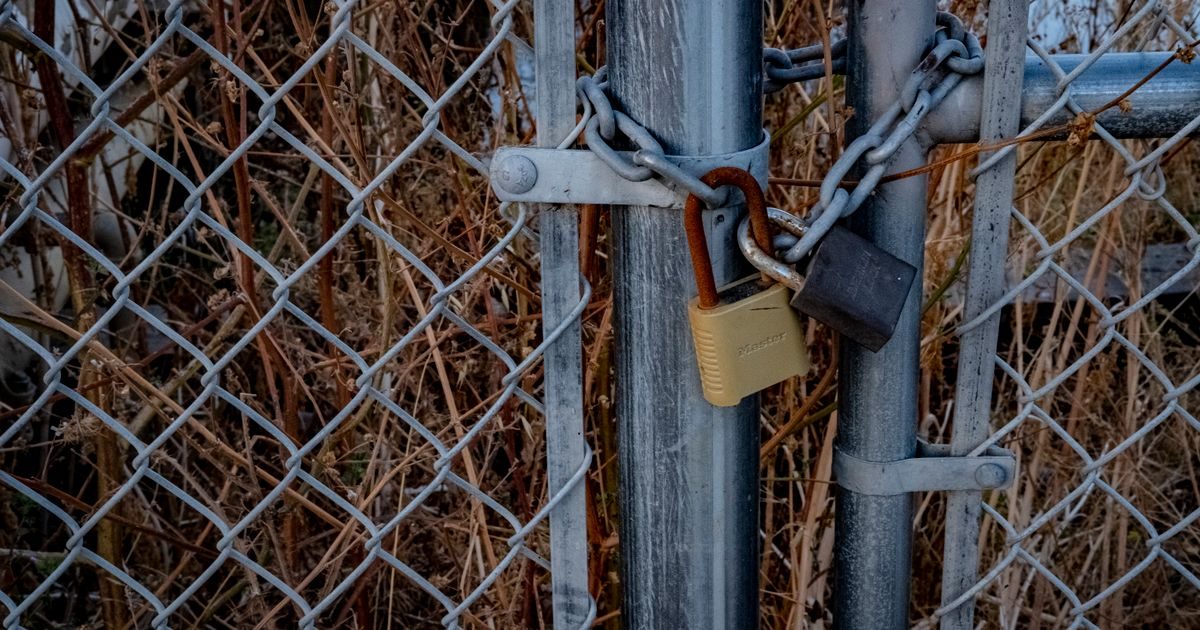
HTTPS (HyperText Transfer Protocol Secure) is the encrypted version of HTTP. When a visitor opens your site over HTTPS, all data traveling between their browser and your server is protected by TLS encryption — making it unreadable and untamperable by any third party.
If your site still shows "http://" in the address bar, this article explains exactly what you're putting at risk — and how to fix it.
How Does HTTPS Work Under the Hood?
HTTP sends data in plain text: anyone intercepting the connection — a public router, an ISP, an attacker on the same Wi-Fi network — can read everything being sent and received. HTTPS solves this problem in three steps:
- The server presents a digital certificate. Issued by a trusted Certificate Authority (CA), it contains the server's public key and confirms who owns the domain.
- The browser verifies the certificate. It checks that the CA is legitimate, the domain matches, and the certificate has not expired.
- An encrypted channel is established. Using TLS (currently TLS 1.3 is the standard), the browser and server negotiate unique session keys. From that point on, every byte travels encrypted.
The visible result is the padlock in the address bar and the https:// prefix. Behind that icon is cryptographic mathematics that makes it practically impossible to decrypt traffic without the session keys.
HTTP vs. HTTPS: Key Differences
| Feature | HTTP | HTTPS |
|---|---|---|
| Data encryption | No | Yes (TLS) |
| Default port | 80 | 443 |
| Server authentication | No | Yes (certificate) |
| Data integrity | No | Yes (HMAC signature) |
| SEO ranking | Penalized | Positive signal |
| Chrome indicator | "Not secure" | Padlock |
Why Does Your Website Need HTTPS Right Now?
1. Protecting Your Users' Data
Contact forms, email addresses, passwords, payment data — without HTTPS, all of this travels exposed. A man-in-the-middle attack can capture it without the user ever knowing.
2. Trust and Credibility
Chrome, Firefox, and Safari display "Not secure" on every HTTP page. That warning drives visitors away before they read a single line of your content. Conversion studies show drops of up to 15% on HTTP sites when the browser activates the alert.
3. SEO Impact
Google confirmed HTTPS as a ranking signal in 2014 and has increased its weight over the years. Additionally, referrals from HTTPS sites to HTTP sites lose the referrer data in Google Analytics — they show up as direct traffic — distorting your metrics.
4. Requirement for Modern Browser Features
Geolocation APIs, push notifications, webcams, and Service Workers (needed for Progressive Web Apps) all require a secure context. Without HTTPS, those features simply aren't available.
5. Regulatory Compliance
If you handle customer data, data protection regulations increasingly expect technical measures like encryption to be in place. HTTPS is the baseline minimum expected layer of protection.
Types of SSL/TLS Certificates
Not all certificates are equal. There are three validation levels:
- DV (Domain Validation): Only verifies that you control the domain. Issued in minutes. Ideal for blogs and informational sites.
- OV (Organization Validation): Also verifies the legal existence of the organization. Recommended for corporate sites.
- EV (Extended Validation): Thorough organization verification. Previously showed a green bar with the company name; browsers now display it differently, but it remains the highest trust level for e-commerce and banking.
For most websites and online stores, a free DV certificate from Let's Encrypt is completely sufficient and fully valid. OV and EV certificates have a cost and a longer issuance process, but they add an extra level of institutional trust.
How to Enable HTTPS on Your Site
The process depends on your hosting, but the general steps are four:
- Get a certificate. Let's Encrypt offers free DV certificates with automatic renewal. Most hosting providers install it with one click from the control panel.
- Install the certificate on your server. In cPanel, go to SSL/TLS and follow the wizard. On dedicated servers, Certbot automates the entire process.
- Force the HTTPS redirect. Add a redirect rule in your
.htaccess(Apache) or configure Nginx to redirect all HTTP traffic to port 443. - Fix mixed content. Make sure images, scripts, and stylesheets all load from
https://. Mixed content can nullify the protection and cause the padlock to disappear.
If you're unsure which certificate is right for your project or need guidance for the migration, the team at elenlace.com can help you implement HTTPS correctly without downtime.
Explore more topics on SSL security on our blog to dive deeper into certificates, configuration, and best practices.
Key Takeaways
- HTTPS encrypts communication between the browser and server using the TLS protocol, protecting data in transit.
- Without HTTPS, modern browsers display "Not secure" warnings that reduce trust and conversions.
- Google uses HTTPS as a positive ranking signal; HTTP sites are at a competitive disadvantage.
- Modern browser features (geolocation, notifications, PWA) only work in secure contexts.
- Free DV certificates from Let's Encrypt are valid and sufficient for most websites.
- Migration requires installing the certificate, forcing the redirect, and eliminating mixed content.
Enabling HTTPS is one of the most impactful steps you can take to protect your visitors and improve your search rankings. Reach out to the team at elenlace.com and we'll guide you through every step of the process.
FAQ
Are HTTPS and SSL the same thing?
Not exactly. SSL (Secure Sockets Layer) was the original protocol, later replaced by TLS (Transport Layer Security). Today we all use TLS, but the term "SSL certificate" persists out of habit. HTTPS is the HTTP protocol running over TLS/SSL.
Does a HTTPS site guarantee it's safe or legitimate?
No. HTTPS only guarantees that the connection between your browser and the server is encrypted. A phishing site can have HTTPS and still be malicious. The padlock confirms encryption — not the integrity of the site's owner.
How much does it cost to enable HTTPS?
A basic DV certificate can be completely free with Let's Encrypt. Many hosting providers include it at no extra cost. OV and EV certificates range from a few dollars to hundreds per year, depending on the CA and the validation level.
Does HTTPS slow down my site?
The performance impact is minimal with TLS 1.3, which reduces the handshake to a single network round-trip. Additionally, HTTPS enables HTTP/2, which significantly improves page load times for sites with multiple resources. In practice, well-configured HTTPS sites are often faster than their HTTP counterparts.
Further reading
Other providers and guides worth comparing: